
Windows · macOS · Linux
Desktop
Start with Clash Verge Rev: free, open source, full-featured and the best documented. Try FlClash for a lighter interface, or Mihomo Party if you like tuning settings visually.
The Clash client knowledge base · Built around Mihomo
Pick a client, import a subscription, read the config, fix problems.Every platform covered. Every guide dated.
Guides are in Chinese for now — English versions are on the way. We never sell nodes or subscriptions.
Windows · macOS · Linux · Android · iOS · Routers
Official sources only · No nodes for sale
A Clash client sees your subscription, your DNS lookups and every connection it handles. That is why our download links only point to each project's official GitHub repository or app store, we never re-host installers, and any referral links on our provider page are clearly disclosed. The original Clash core and Clash for Windows were discontinued in 2023; today's standard is Mihomo (formerly Clash Meta).
Same subscription · Same rules
Today's clients share the same Mihomo core, so one subscription and one rule set work everywhere. Only the interface changes — find the right client for your device.
Start with Clash Verge Rev: free, open source, full-featured and the best documented. Try FlClash for a lighter interface, or Mihomo Party if you like tuning settings visually.
On Android, use Clash Meta for Android or FlClash. On iPhone, Stash has the most complete support for Clash configs.
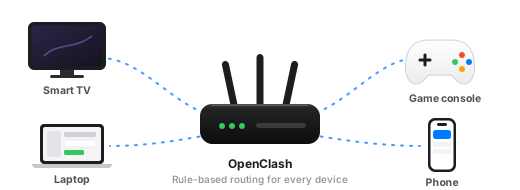
Run OpenClash on your router to route the whole home network — TVs and consoles need no app. If flashing OpenWrt is not an option, look at ShellCrash.

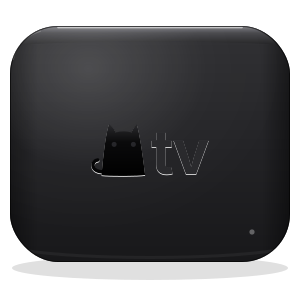
A native Clash client for iPhone, iPad, Mac and Apple TV, built on mihomo, with both the client and the core open source. Developed by The Clash Team — not a Clash Wiki product.
Not available with a mainland China Apple ID; switch to another App Store region to install.From your first subscription import to tuning rules, proxy groups and DNS the way you want.
Last updated: